Audio (343) Audio (343)
Datatype (51)
Demo (203)
Development (600)
Document (22)
Driver (97)
Emulation (148)
Game (1005)
Graphics (499)
Library (116)
Network (233)
Office (66)
Utility (928)
Video (69)
Total files: 4380
Full index file
Recent index file
Amigans.net
OpenAmiga
Aminet
IntuitionBase
|
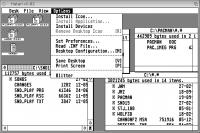
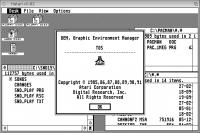
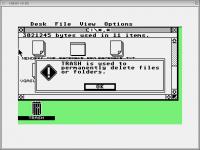
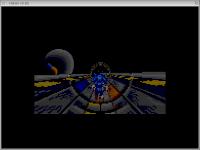
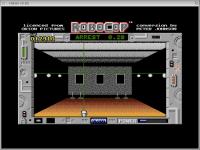
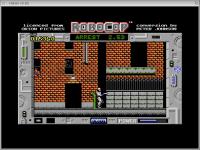
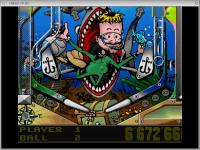
Hatari | | Description: | Atari ST and STE emulator | | Download: | hatari.lha (TIPS: Use the right click menu if your browser takes you back here all the time) | | Size: | 2Mb | | Version: | 1.9.0 | | Date: | 12 Feb 2016 | | Author: | Ventzislav Tzvetkov (AmigaOS4 port) | | Submitter: | uploader | | Homepage: | http://hirudov.com/amiga/Hatari.php | | Requirements: | AmigaOS 4.x | | Category: | emulation/computer | | Replaces: | emulation/computer/hatari.lha | | License: | GPL | | Distribute: | yes | | Min OS Version: | 4.1 | | FileID: | 9749 | | | | | | Comments: | 4 | | Snapshots: | 11 | | Videos: | 0 | | Downloads: | 444 (Current version) | | 1921 (Accumulated) | | Votes: | 0 (0/0) (30 days/7 days) | |
      Hatari
Version 1.9, September 2015
http://hatari.tuxfamily.org/
Contents:
---------
1. License
2. What is Hatari?
3. Compiling and installing
3.1 WinUAE and "old" UAE CPU cores
3.2 IPF support using capsimage library
3.3 Notes for Linux distribution packagers
3.3.1 Known distro problems
4. Running Hatari
5. Contact
1) License
----------
This program is free software; you can redistribute it and/or modify it under
the terms of the GNU General Public License as published by the Free Soft-
ware Foundation; either version 2 of the License, or (at your option) any
later version.
This program is distributed in the hope that it will be useful, but WITHOUT ANY
WARRANTY; without even the implied warranty of MERCHANTABILITY or FITNESS
FOR A PARTICULAR PURPOSE. See the GNU General Public License for more details.
You should have received a copy of the GNU General Public License along with
this program; if not, write to the
Free Software Foundation, Inc.,
51 Franklin Street, Fifth Floor, Boston,
MA 02110-1301, USA
Linking Hatari statically or dynamically with other modules is making a
combined work based on Hatari. Thus, the terms and conditions of the GNU
General Public License cover the whole combination.
In addition, as a special exception, the copyright holders of Hatari give you
permission to combine Hatari with free software programs or libraries that are
released under the GNU LGPL and with code included in the standard release
of the IPF support library (a.k.a. libcapsimage, see http://www.softpres.org/
for more information) under the Software Preservation Society Licence Agreement
as it has been defined for IPF library version 4.2. Linking against modified
versions of the IPF library is also allowed, as long as neither the license
nor the purpose of the library (accessing .ipf disk images) was changed.
You may copy and distribute such a system following the terms of the GNU GPL
for Hatari and the licenses of the other code concerned.
2) What is Hatari?
------------------
Hatari is an Atari ST/STE/TT/Falcon emulator for Linux, FreeBSD, NetBSD,
BeOS, Mac-OSX and other Systems which are supported by the SDL library.
Unlike most other open source ST emulators which try to give you a good
environment for running GEM applications, Hatari tries to emulate the hardware
as close as possible so that it is able to run most of the old Atari games
and demos. Because of this, it may be somewhat slower than less accurate
emulators.
3) Compiling and installing
---------------------------
For using Hatari, you need to have installed the following libraries:
Required:
- The SDL library v1.2.10 or newer (http://www.libsdl.org)
- The zlib compression library (http://www.gzip.org/zlib/)
Optional:
- The PNG image library for PNG format screenshots and to decrease
AVI video recording file sizes (http://www.libpng.org/)
- The GNU Readline library for Hatari debugger command line editing
- The Xlib library to support Hatari Python UI window embedding on
systems with the X window system (Linux and other unixes)
- The portaudio library for Falcon microphone handling
- The IPF support library (http://www.softpres.org/download)
Don't forget to also install the header files of these libraries for compiling
Hatari (some Linux distributions use separate development packages for these
header files)!
For compiling Hatari, you need a C compiler (preferably GNU C), and a working
CMake (v2.8 or newer) installation, see http://www.cmake.org/ for details.
CMake can generate makefiles for various flavours of "Make" (like GNU-Make)
and various IDEs like Xcode on Mac OS X. To run CMake, you've got to pass the
path to the sources of Hatari as parameter, for example run the following if
you are in the topmost directory of the Hatari source tree:
cmake .
If you're tracking Hatari version control, it's preferable to do
the build in a separate build directory as above would overwrite
the (non-CMake) Makefiles coming with Hatari:
mkdir -p build
cd build
cmake ..
Have a look at the manual of CMake for other options. Alternatively, you can
use the "cmake-gui" program to configure the sources with a graphical
application or "ccmake" to configure them with ncurses UI.
For your convenience we also ship an old-fashioned configure script which can
be used as a wrapper for running cmake. Type "./configure --help" to see the
options of this script.
Assuming that you've used the Makefile generator of CMake, and cmake finished
the configuration successfully, you can compile Hatari by typing "make". If all
works fine, you'll get the executable "hatari" in the src/ subdirectory of the
build tree. You can then install the emulator by typing "make install".
3.1) WinUAE and "old" UAE CPU cores
By default Hatari is built with the "old" UAE CPU core used in the
earlier Hatari releases, but versions starting from v1.5 support also
new & experimental WinUAE CPU core which offers more cycle accurate
030 & DSP emulation and from v1.6 onwards also working 030 MMU
emulation.
The WinUAE CPU core can be enabled by toggling the ENABLE_WINUAE_CPU
variable in the Hatari CMake configuration (e.g. with the interactive
"ccmake" program). Alternatively, you can run "./configure
--enable-winuae-cpu", which will run cmake with the correct
parameters.
The plan is to eventually have WinUAE CPU core enabled by default and
deprecate the "old" UAE CPU core, but currently WinUAE CPU core:
- is lacking all the ST/STE specific tweaks and proper testing
for ST/STE compatibility
- despite better emulation, it still doesn't run all the Falcon
programs that run with the "old" core although it works better
for most of them
- doesn't have full debugger support
It's recommended to use Hatari built with the "old" (default) UAE CPU
core for ST/STE emulation and the new WinUAE core for Falcon emulation.
And test also the old core if Falcon programs don't work with the new
one...
3.2) IPF support using capsimage library
Hatari can use the optionnal capsimage library to access IPF and CTR
files. Those files are created using the Kryoflux board and allow to
record MFM exact copies of original games, including the protection.
Version 4.2 of the library allows to access IPF files, while the more recent
version 5.1 fixes some bugs, as well as adding support for CTR files.
Since version 5.1 is not yet available for all OSes in binary form, Hatari
still default to version 4.2 (but you can compile capsimage 5.1 sources
to build your library). You can change this by modifying "SET(CAPSIMAGE_VERSION
4)"
into cmake/FindCapsImage.cmake
Refer to http://softpres.org/download and get the corresponding file
from the "User Distribution" section that matches your OS.
For version 4.2, you should have the following files in your include path :
/usr/local/include/caps/
capsimage.h
fdc.h
form.h
For version 5.1, you should have the following files in your include path :
/usr/local/include/caps5/
CapsAPI.h
CapsFDC.h
CapsForm.h
CapsLibAll.h
CapsLib.h
CapsLibVersion.h
ComLib.h
CommonTypes.h
You should also copy the libcapsimage.so* files in your library path,
for example in /usr/local/lib/caps/ or /usr/local/lib/caps5/
3.3) Notes for Linux distribution packagers
TOS tester in tests/tosboot/ directory can be used to verify that
Hatari was built fine enough that it's able to boot all tested TOS
versions in various different HW configurations and run some GEMDOS
based tests. For EmuTOS, use version v0.8.7 or newer, older versions
are buggy and fail the GEMDOS tests.
If Hatari package will have two application menu entries for Hatari,
one for the Python UI embedding Hatari, and another one for the plain
SDL version, the latter could open also a terminal window for Hatari
command line debugger and its console messages:
x-terminal-emulator -T "Hatari debug window, invoke debugger with AltGr+Pause"
-e hatari
tools/hatari-tos-register.sh is a minimal example of Linux init script
registering Hatari as a (binfmt_misc) handler for TOS binaries.
Alternatively one could add a mime type for TOS binaries with xdg-mime:
http://portland.freedesktop.org/xdg-utils-1.0/xdg-mime.html
But registering handlers for mime-types seems desktop specific.
3.3.1) Known distro problems
Old RHEL 5 and the derived CentOS v5.x Linux distributions ship
with a broken readline library:
https://bugzilla.redhat.com/show_bug.cgi?id=499837
To get CMake readline detection and linking working on them,
you need to give these as extra arguments to the "cmake" command:
-DCMAKE_C_FLAGS=-lncurses -DCMAKE_EXE_LINKER_FLAGS=-lncurses
They also have too old Python/PyGtk version for the python based
Hatari scripts. Here are patches for Hatari v1.5/v1.6 Python UI:
http://listengine.tuxfamily.org/lists.tuxfamily.org/hatari-devel/2012/01/msg0000
8.html
4) Running Hatari
-----------------
For information about how to use the running emulator, please read the file
doc/manual.html. Here are just some hints for the impatient people:
* Before you can run the emulator, you need a TOS ROM image. If one
named as "tos.img" is neither in the data directory of the emulator
(DATADIR variable in CMake configuration), or in the current
directory, Hatari will ask you to select one.
- Hatari binary packages ship unmodified EmuTOS ROM image with them
(renamed as tos.img), but you need an original Atari TOS ROM image
for best compatibility. For more information on EmuTOS, see
doc/emutos.txt.
* While the emulator is running, you can open the configuration menu
by pressing F12, the F11 key will toggle fullscreen/windowed mode.
Pressing ALTGR-q will quit the emulator.
5) Contact
----------
If you want to contact the authors of Hatari, please have a look at the file
doc/authors.txt for the e-mail addresses or use the Hatari mailing list.
Visit the website of Hatari on Tuxfamily.org for more details:
http://hatari.tuxfamily.org/contact.html
For more details about the Amiga port visit:
http://hirudov.com
6) Changes
----------
Version 1.9.0 (2015-09-10):
---------------------------
Emulation:
- STE Joypads:
- Fix: Joypad A Option button
- Fix: Joypad B extended buttons
- ACSI / IDE:
- Fix: image file attribute check when using device files
- Fix: v1.8 ACSI regression with A1=0 case
- GEMDOS HD:
- Fix: matching exactly 8 chars long file names containing '.'
- Better mapping of host errors to GEMDOS error codes
- Support for mapping file names with 8-bit characters
between host and Atari encodings (umlauted chars etc)
- Program header (TT-RAM) allocate flags support
- CPU:
- update WinUAE CPU core version from 2.3 -> 2.8.1 -> 3.0 -> 3.1
- MMU emulation fixed
- instruction/data cache emulation
- better 68020/30 prefetch pipeline
- cycle accuracy, etc.
- in 68000 mode, remove some un-allowed <ea> for CMPI, BTST and TST
- check for address error when new PC is set at the end of RTE, RTS and RTR
- fix "move.b an,<ea>", it's not allowed and should give illegal instruction
- improve stack frame for bus error and address error
- allow bus control only for 030
(i.e. prevent TOS forcing 16Mhz at boot with higher CPU levels)
- Memory:
- TT-RAM / 32-bit addressing support both for TT & Falcon emulation
(when using EmuTOS, this requires version 0.9.4 or later)
- FDC changes:
- for STX disks, fix type I commands with verify bit on tracks with no sector
- for ST/MSA, check read address and read track are not beyond max track
- MFP:
- better emulation of GPIP, AER and DDR
- MIDI:
- some RX/TX interrupt conditions were not correctly handled
- TDRE bit is status register more accurately handled
- Video:
- fix value when reading video counter $FF8205/07/09 in high res
- Blitter:
- when transfer ends, hog bit should be cleared in control register
- DSP:
- better emulation of the HREQ signal
Emulator:
- Support for compiling with libSDL2 (experimental)
- SDL2 supports other than 2x scaling factors for ST/e emulation
- Misc fixes:
- Fix: WinUAE CPU core (FPU) memory state restore
- Fix: chrash with VDI extended resolution emulation when
C: isn't GEMDOS HD emulated drive
- Fix: invalid defaults for real joysticks
- Fix: compilation when zlib is missing
- Fix: bugs from Debian bug tracker:
https://bugs.debian.org/cgi-bin/bugreport.cgi?bug=716536
https://bugs.debian.org/cgi-bin/bugreport.cgi?bug=688594
- Additional TOS run-time patching:
- Support fast boot also with TOS v3 & v4
- Support 32-bit addressing also with TOS v4
- Replace TOS v4 instructions unsupported on 060
- HW specific phystop value in VDI mode
- Options:
- Fast boot (warm boot / memory check bypass) is disabled by default
- 68060 CPU level and --ttram support with new WinUAE CPU core
- New --png-level option to decrease AVI compression CPU load
- Mouse warping on reset & resolution change can be controlled
with new --mousewarp option
- Hard drive emulation:
- BUS ID for ACSI drive can be specified with --acsi
- GUI and command line options to enable 8-bit file name
Atari <-> host charset conversion for GEMDOS HD
- GUI and command line options to specify GEMDOS HD emulation drive
(default = C:), or to skip recognized drives used by partitions
on ACSI & IDE images
- Partition count parsed by Hatari might not match count used by
Atari HD driver due to driver differences in interpreting disk MBR
- Refuse to mount same HD image from multiple Hatari instances
(on platforms supporting BSD flock()), to avoid corrupting them
- SDL GUI:
- joystick navigation in options GUI
- keyboard navigation & shortcuts in options GUI
- sort file selector items case-insensitively with folders first
- Partial support for showing Latin1 chars from UTF-8 file names
- AltGr+F<1-4> keyboard shortcuts to switch mode/type for emulated
joysticks and joypads
- User can reset or quit emulation from CPU halt dialog
- Fix: sync joystick changes with statusbar
- Fix: update default max window size for 2-line statusbar
NOTE: size would need to be updated in Hatari config files too!
- Fix: statusbar assert when FPU/MMU/TT-RAM are enabled in WinUAE CPU core
- When cpu enters 'halt' state in case of double bus/address errors,
show a dialog window to reset or call the debugger
- Fix bug in the filesector dialog that could create bug in other
dialogs used in Hatari
- Debugger:
- Fix: crash when GEMDOS tracing is used without GEMDOS HD emulation
- Fix: update external disassembler's CPU mask when CPU type is changed
(it wasn't restricted to opcodes valid for given CPU type)
- Fix: breakpoint addition/removal within chained breakpoints
- Fix: Atari program detection on Windows for "symbols" command
- Profiler support for TT-RAM (uses *ton* of memory)
- Profiler support for (030) data cache and new "profile caches"
command to show i/d-cache hit/miss histograms
- Add trace support for IDE, MIDI and keymaps. ACSI (SCSI) and IDE
trace output shows primary partition tables for ACSI & IDE images
(both Atari and DOS MBRs are supported)
- Add "os_base" trace option to trace Fopen/Fclose/Pexec/Pterm*.
That and "os_all" will now enable also xconout console redirection
- Output from --conout goes now to stdout instead of stderr
- Add "reset <hard|soft>" command
- Add "save" subcommand to "history" command
- Add "basepage" address variable
Other changes:
- Add script to convert long host file names to Atari file names,
use that in atari-hd-image script
- Add hatari-prg-args script for providing arguments to autostarted programs
- Fix Atari program detection on Windows in "gst2ascii" tool
- Hatari & disk image icons in SVG & PNG formats (multiple sizes)
- Remaining Hatari OSX UI changes for Hatari v1.8.0 (localization)
- Add video-recording.txt doc on video recording/uploading best practices
Fixed demos:
- Graphix Sound 2 in Relapse by Cybernetics (blitter+cpu, bus arbitration)
- RGBeast by Aggression (video, writing to video counter during active display)
- My Socks Are Weapons by Legacy (video, reading video counter in high res)
Fixed games:
- Superior 65 - Blood Money (cpu, exception stack and bus error)
(note that this version is bugged and will crash with TOS 1.04 or 1.62)
- Obitus (STX version) (fdc, seek+verify on a track with no sector)
- The Teller (STX/CTR version) (cpu, exception stack and address error)
- War Heli (cpu, exception stack for address error and prefetch)
Fixed programs:
- Realtime and M by Eric Ameres (midi + mfp, toggle bit 0 of AER)
- Notator (midi, more precise TDRE bit in status register)
Known regressions (see compatibility list):
- Suretrip demo by Checkpoint
- Golden Island game demo with WinUAE CPU core
Version 1.8.0 (2014-07-30):
---------------------------
Emulation:
- ST video changes :
- Handle 0 byte line by switching freq in STE mode
- Use high res when ff8260 is set to 3
- Randomly return 0 or 1 when reading unused bits 3,7 and 11 of
color registers (except when running from ROM)
- Better detection of bottom border removal on a 60 Hz screen
- support for color change during only 4 cycles
- better bitmap/color alignment for STE med res overscan at 60 Hz
- Set default value of nSpec512Threshold to "1" instead of "16"
- Update the position of the next VBL when 50Hz and 60Hz lines are mixed
- When video address is set into IO region, keep the video pointer on 24 bits
- Videl changes :
- correct masking of the true color palette registers
- CPU changes :
- Fix a case when MFP's interrupt happens during the IACK sequence
for HBL/VBL
- Many prefetch changes required by some game's protection
- Sound changes :
- Fix STE sound mixing using LMC when mixer=0 (DMA sound only)
- Fix some crossbar's sound errors for Falcon
- Fix Microwire's decoding of mask/data (based on official LMC1992's doc)
- FDC changes :
- Add configurable RPM speed for each floppy drive, the possibility
to turn each drive ON/OFF and the choice between single or double
sided drive
- Correct timings, behaviour and status register for all commands
when a drive is OFF or empty.
- Rewrite the index pulse part and all the delays expressed as disk's
revolution
- Add support for the "Force Int on Index Pulse" command
- Rewrite the DMA functions for better accuracy
- Add support for IPF/CTR files by using the capsimage library
- Add open source support for Pasti STX files, including random/fuzzy bits
and variable length bits. Also allow to save writes to a .stx file
into an additional .wd1772 file (store 'write sector' and 'write track'
data)
- Don't force drives A and B at $4c2, keep the values detected by TOS
- Many other timing / status register improvements
- GEMDOS HD emulation:
- Fix: clip filenames given through GEMDOS calls to 8+3 length
using first '.'
- Fix: autostarting programs with GEMDOS-illegal host characters
in their names
- ACSI hard disk changes:
- Fixed/improved READ CAPACITY and INQUIRY commands
- Unsupported commands are now handled correctly
- Now using fseeko() instead of fseek() for supporting large images
- Other changes:
- Don't enable MegaST's real time clock by default, it can cause some
crashes in STF/STE mode
- Improve ACIA's wait state with E clock
- Add support for IKBD commands 0x11 and 0x13 (resume/pause output)
and 0x17 (joystick monitoring)
Emulator:
- SDL GUI:
- Update clock speed in the status bar when changing bus speed
in Falcon mode
- In the floppy dialog, use a checkbox to enable/disable drives A and B
and another checkbox to choose single/double sided drive
- In the screen dialog, add checkbox for --desktop-st option
- Add a 2nd line in the status bar, with infos on FDC, joysticks, monitor
- Fix OSX performance issue caused by statusbar and overlay LED
doing their own SDL_UpdateRects() calls
- New command line options:
- Options --drive-a and --drive-b to enable/disable drives A and B
- Options --drive-a-heads and --drive-b-heads to select single or
double sided drives A and B
- --slowdown option to increase (multiply) VBL wait times
- New Native Features commands:
- NF_EXIT exits emulator with given exit code
- NF_DEBUGGER invokes Hatari debugger from native program
- NF_FASTFORWARD sets fast forward on/off
- Tracing improvements:
- Add option for tracing NatFeats calls
- Fix: Xbios(255) modified the given argument string
- Allow BIOS, XBIOS, GEMDOS, VDI and AES tracing to be enabled without
enabling also X/BIOS interception, GEMDOS HD emulation or extended
VDI mode
- Show PC value for traced Bios/XBios/GemDOS calls
- Debugger:
- Fix: release mouse in all cases where debugger can be invoked
- Fix: DSP disassembler didn't in all cases show illegal opcodes correctly
- Fix: "symbols" command crash when it was used during TOS bootup
- Fix: TOS and cartridge addresses weren't (with all TOS versions)
in address order which asserted in profile data post-processor
- Fix: "next" command didn't work correctly in "hex" number base
- Fix: depending on compiler/linker/assembler, DATA/BSS debug symbol
offsets can in programs be either relative to their own, or to TEXT
section start. If former fails, try latter when loading symbols.
- New "ym" info subcommand to show YM register values
- "quit" command by-passes exit confirmation dialog and takes
an optional Hatari exit code value
- removed limits on breakpoints and their conditions
- when entering debugger, current program's DRI/GST format debug
symbols are automatically read from it, if such are available
- new --debug-except option to specify which exceptions invoke
the debugger, and WinUAE CPU core support for -D toggle option
- "next"/"dspnext" commands work like in other debuggers, they
skip subroutine/exception calls, for all other instructions
they works like "step" command (earlier they always moved to
next instruction in memory)
- "next" and "dspnext" commands support optional "instruction type"
argument, which can be used (for example) to continue emulation
until subroutine returns
- "history" command takes optional parameter specifying how many
instructions of history will be tracked
- CPU & DSP profile commands have now subcommand for profiling loops
- "CpuInstr" and "DspInstr" variables for count of instructions
executed since emulation was last continued from debugger
- In addition to "!" condition, also "<" and ">" conditions can store
the checked value (when both sides of conditions are identical).
With above change, this can be e.g. used to detect and profile
what are worst frames in games and why
- New "rename" command to rename files. Useful for scripted
worst frame and spinloop profiling
- Address space in 'dm' command can be given like in DSP disassembly,
"dm x:$100", in addition to earlier "dm x $100" syntax
- Fix out of bounds memory access that could result in bad disassembly
output when using the external disassembler (only "dc.w" were printed)
Tools:
- Increased max partition size in atari-hd-image script to 512MB.
- New hatari_spinloop.py script for post-processing loop profile data.
It can tell how many times loops were executed, how many times they
spinned at minimum and maximum, at which VBL those happened, and what
was the standard deviation of that.
- gst2ascii supports now both section relative and TEXT section relative
DATA/BSS symbol offsets
- hconsole.Main() takes now Hatari command line options as argument
- AHCC/GCC/VBCC examples on using (all) Native Features APIs
- Improved mingw cross-compilation support
Fixed demos :
- 4-pixel plasma screen by TOS Crew (video, color change during only 4 cycles)
- HighResMode by Paradox (video, color changes in overscan med res at 60 Hz)
- It's A Girl 2 by Paradox (video, bottom border removal on a 60 Hz screen)
- Pacemaker by Paradox (microwire, YM sound was muted)
- Panic by Paulo Simoes (video, was broken since Hatari 1.7)
- Shforstv.exe by Paulo Simoes (video, did not work in STE mode)
- Sommarhack 2011 Invitro by DHS (CPU/MFP, top border not removed)
- Stax Compilation #65 (conflict with Mega ST's RTC)
- The Union Demo (cpu, memory access, ikbd, protection)
- The World Is My Oyster - Convention Report Part by Aura (video, res=3)
- Tymewarp (cpu, bus error)
- UMD 8730 by PHF (video, unused bits in STF color registers)
- IKBD no jitter by Nyh (acia/video, use a VBL of 160240 cycles)
Fixed games :
- Batman The Movie (cpu, exception stack)
- Chart Attack Compilation (cpu, prefetch)
- Darkman (cpu, prefetch)
- Dragon Flight (cpu, illegal instruction)
- International 3D Tennis (cpu, prefetch)
- Leavin' Teramis loader text (video address at $ffe100)
- Lethal Xcess Beta (cpu, bus error, code running at $ff8800)
- Lethal Xcess (mfp, top border not removed sometimes)
- Maze (by Martin Dennett & John Parker)
- Parasol Stars (cpu, prefetch)
- Reeking Rubber (by Nature), Falcon game
- Titan (cpu, prefetch)
- To Be On Top (cpu, memory access, ikbd, protection)
- Warp (ikbd, interrupt used for decoding sectors)
- Xenon 2 (cpu, prefetch)
Version 1.7.0 (2013-06-24):
---------------------------
Emulation:
- TT video emulation :
- Extend the ST palette registers from 9bit to 12bit for ST modes
- Duochrome mode instead of monochrome for ST High
- Implementation of SampleHold in TT Hypermono video mode
- Sound changes :
- Better model of the YM2149 noise generation (no noticeable audible impact)
- Slightly better volume table (measured by Paulo Simoes on a real ST)
- CPU changes :
- Added experimental MMU emulation for the 68030 mode
- Handle the IACK cycles during an exception for HBL/VBL
- ACIA/IKBD changes :
- Full implementation of the MC6850 ACIA, giving much more robust
IKBD emulation
- Better timings for all IKBD commands (measured on a real STF)
- Clock is handled internally in IKBD, host date/time is used
only to initialize RTC at boot. I.e. pausing emulation doesn't
cause time skips when unpausing
- Fix slow mouse when absolute mode is used with scale values
- MFP changes :
- Fixed priority errors when simultaneous interrupts happened
- MFP's IRQ should be delayed by 4 cycles before reaching the CPU
- MFP's IRQ signal was not correctly updated in some cases
- Handle the IACK cycles between CPU and MFP during an exception
- FDC changes :
- Better delays for all the GAPs inside a track
- Emulate the disk's rotation and its angular position to get
accurate delays when accessing a sector header
- Internal timer for FDC was wrong and sometimes slower than expected
- Correct delay for type I commands with "verify" bit=1
- GEMDOS HD emulation changes :
- Support Fforce() for GEMDOS HD emulated files and close at Pterm*()
all internal handles to emulated files program had left open
- Fix: cut file and dir names to 8+3 chars like all TOS versions do
- Fix: GEMDOS HD emulation overwrote last 28 bytes of basepage space
for the started process command line (with the program header)
- Fix: Fwrite() content wasn't flushed to disk on each write, so later
Fopen() + Fread()s calls on such files (if they were not closed
in the meanwhile) could get data that was out of date.
- Fix: Dfree() return value
Emulator:
- Fix: problems with run-time CPU type changing
- Fix: MIDI IRQs were not enabled if MIDI was enabled at run-time.
MIDI toggling will now imply reset
- Much improved console redirection functionality and a separate --conout
option for it (--bios-intercept doesn't anymore imply console redirection)
- Fixed a bug with the axes' mapping in the joystick's detection
- Display handling:
- Fix: max resolution limit wasn't handled properly for ST mode.
- Don't change TOS-calculated font size for VDI mode.
- Setup NVRAM video mode based on VDI mode, when in VDI mode.
This makes VDI mode work with EmuTOS also under Falcon emulation
which is useful as EmuTOS doesn't support native VIDEL expanders
- Limit VDI screen memory usage to 300kB, this allows upto 2048x1200
monochrome and 1024x600/800x768 16-color VDI screens
- GEMDOS HD emulation:
- Fix: to DTA host filename cutting to 8+3 chars when whole filename
was < 12 chars (caused EmuTOS crash)
- Give warning if GEMDOS dir/file path exceeds 8+3 characters
(as those won't work with real TOS)
- New --gemdos-case option to specify whether new dir/filenames
are forced to be created in upper (default) or lower case
- Giving empty string as GEMDOS HD dir disables GEMDOS HD emulation
- SDL GUI:
- Fileselector has "CWD" button for changing to Hatari's work directory
- Fileselector remembers previous position which is nicer with
large directories
- Make the drive leds blink with a brighter green when the FDC is executing
a command
- Profiler:
- Fix: profiler assert on invalid PC register values
- Fix: profiler usage in debugger files invoked by breakpoints
- Fix: profiler CPU & DSP cycles information is for previous instruction
- Fix: WinUAE CPU requires cycles counter usage for getting current
CPU instruction cycles
- Profiler provides timing information, based on used cycles
- Profiler provides CPU instruction cache misses information when using
cycle-exact WinUAE CPU core (which is Falcon emu default)
- Profiler top instruction count/cycles/misses lists show
the related instructions
- For DSP, profiler adds min/max cycle difference info to disassembly
- New "addresses" subcommand can be used to see addresses through which
code passed during profiling (e.g. while program seems frozen, this
gives much better overview of code that is being run, than cpu trace)
- New "callers" subcommand lists all addresses from which loaded
symbols' addresses were "called" from. This way one can e.g. find
in which contexts interrupt handlers were called and it can be
used to construction program execution callgraph
- New "save" subcommand saves profile address and caller information
to given file, with extra information needed for post-processing
- New "stack" subcommand that can be used to get backtraces during
profiling with symbols, for ':noinit' backtraces
- Debugger:
- New ':noinit' and ':quiet' breakpoint options. Quiet option
removes most of breakpoint matching "noise" and ':noinit' breakpoints
can be used with "profile stack" command, to prevent profile data and
related callstack information from being reseted on breakpoint match
- "blitter" and "dsp" subcommand added to "info" command, to show
blitter register values and DSP state (e.g. stack content)
- "prg" subcommand added to "symbols" command, for loading debug
symbols from DRI/GST symbol table in last started program
- "step" and "next" commands added for single stepping CPU and DSP code
-> 's' shortcut is now for "step", not "save"
- "--disasm" option for selecting between UAE core and external CPU
code dissassembler and setting output option flags for latter
- When -D option is used, also undefined/illegal DSP instructions and
DSP stack under/overflows invoke debugger, not just CPU issues
- Fix: when several breakpoints should have triggered
on the same address, only first was handled
- Fix: after breakpoint, 'c <n>' continues one instruction too little
- Fix: tracking breakpoint values were updated only when all conditions
matched, now they can be also used together with other conditions
- Fix: info command crash (triggered on NetBSD)
- Fix: disassember output bug on NetBSD (usigned char < -1 test)
- Fix: info osheader and basebase subcommands under MiNT
- Fix: debugger history duplicates removal
- Fix: expression expanding CPU "pc" for DSP shortcut commands
- Fix: expression expansion messing lines in command line history
- Remote API debugger commands can also use expression expansion
- Both single and double quotes can be used to mark expressions
- In addition to text section offset, data and bss section offsets
can be given when loading symbols (useful for Devpac symbols)
- Output what value was set by options if it's not otherwise shown by UI
- New 'cpu' and 'dsp' options to 'history' command for tracing just
one of these processors on Falcon
- Function arguments are shown in traces for all non-MiNT GEMDOS calls
and subset of arguments are now shown also for AES calls (values in
intin array and strings in addrin array)
- Add NVRAM read & write tracing
- Support for the basic Native Features and --natfeats option to control it:
http://wiki.aranym.org/natfeats/proposal
Tool updates:
- New hatari-profiler.py script for post-processing output from
profiler's CPU and DSP profiling "save" commands:
profile save <filename>
dspprofile save <filename>
- With symbol address information it can provide function level
instruction, processor cycle & i-cache miss statistics
- With callers information it can create function call callgraphs
and create callgrind format files for Kcachegrind GUI
- New gst2ascii tool to extract DRI/GST symbol table from Atari program,
for use with the profile data post-processor
- Added scripts for converting symbol tables in Devpac 3 listings and DSP LOD
files to a format understood by Hatari debugger 'symbols' command,
and to clean 'nm' output of GCC & VBCC built a.out binaries for it
Other changes:
- HTML documentation indeces generated dynamically with JS
- Debugger tests building fixed
Fixed Games:
Atomix (MFP, flickering bottom of the screen during samples)
BBC 52 Menu (Video/CPU, top border not removed)
Bolo (MFP, couldn't start a game)
Captain Blood (IKBD, fixed problem when setting the clock)
Fokker and Downfall (ACIA/IKBD, had regressed in Hatari v1.6.x)
Fuzion CD 77/78/84 Menu (MFP, random crash with digidrums in STF mode)
James Pond (Fuzion CD 25) (FDC, game stuck during the intro)
Microprose Golf (FDC, crash during the intro)
Spidertronic (Zuul CD 84) (crashed before 50/60 Hz screen)
Super Hang On and Super Monaco GP (MFP, flickering rasters)
The Final Conflict (MFP, locked during the sampled intro music)
The Sentinel (IKBD, mouse much too slow)
Zuul 100/101 Menu (MFP, flickering top border)
Fixed demos :
Anomaly Demo Main Menu by MJJ Prod (MFP, flickering top/bottom borders)
Audio Artistic Demo by Big Alec (MFP, bad sample speed at start)
Decade Demo - Reset (MFP, flickering bottom border)
High Fidelity Dreams by Aura (MFP, flickering left rasters)
ST-NICCC 2000 Demo by Oxygene (FDC, demo ran slower than expected)
Fixed apps :
Monst v1.x
Spectrum 512 (IKBD, mouse too slow)
Cubase (when MIDI was enabled after Hatari startup)
Version 1.6.2 (2012-06-24):
---------------------------
Emulation:
- ST video changes :
- Fixes a rare potential crash when running in color mode and switching
to monochrome mode for more than one VBL (eg : protection code used
in The European Demos and The Transbeauce II Demo)
- add more timings for the 224 bytes overscan detection on STE
- Correct write timing for BCHG/BCLR/BSET when removing borders
- Fix to top/bottom border removal in a rare case
- IKBD/ACIA changes :
- Handle commands 0x12 and 0x14 sent during the IKBD reset
(enable both mouse and joystick reporting at the same time)
- Handle the TX IRQ in the ACIA (bits CR6+CR5=0x01)
- Implemented IKBD set-clock function
- Sound changes :
- Improve YM2149 sound filtering to be closer to a real STF
- Increase output volume for STE DMA sound (compared to the YM2149's volume)
- DSP changes :
- Fix to DSP stack overflow handling
- Fix DSP to be reset on emulation reset
- Old UAE core specific changes :
- Changes in the prefetch code for some instructions
- Correct PC in stack when JMP generates an illegal address exception
- WinUAE core specific changes :
- 68040 MMU emulation fixes
- Fix GEMDOS/VDI emulation (illegal opcode) handling
- Fix WinUAE core to work with ST emulation (boot TOS 1.x)
- Fix FPU to be enabled when switching to TT emulation
- Fixes to FPU register value conversion
- Falcon changes :
- Support for Falcon/Videl screen borders
- Fixes to few Falcon IO registers
- Changed behavior of the Microwire registers in Falcon mode
- Misc changes :
- Ignore FDC commands when no drive is selected
- Fix TT SCSI register reads to return all bits zero instead of set
- Fix for GEMDOS HD emu to direct special CON:/AUX:/PRN: device files
to TOS instead of trying to handle them as normal files
- printer output is single, not double buffered
Emulator:
- RS232 input&output and printer output can be disabled from command
line by specifying an empty path
- Fix loading of memory snapshot from SDL GUI not to leave host cursor
enabled
- Video changes:
- Increase max allowed VDI resolution from 1280x960 to 1920x1200
- Revert preferred Videl resolution max zooming size setting from
host desktop resolution back to 832x576 it was in Hatari v1.4,
so that Falcon/TT emulation window sizes by default are closer
to ST/STE ones on larger resolution monitors
- Fix statusbar assert
- Add --sound-sync option to keep video synchronized with the audio
in case the OS audio's driver has some latency issues
- WinUAE core specific changes:
- Default to Falcon with WinUAE core (old CPU core still defaults to ST)
- Support run-time changing of CPU level, FPU type and machine type
from the GUI (also) with WinUAE CPU core
- Debugging improvements:
- Fix to debugger CPU cycle profiling modifying CPU state
- Profiling info is shown at end of disassembly lines
- Support for tracing all symbols loaded to the debugger,
this can be used to get function traces for both CPU and DSP
- Show args for all Bios and most XBios & Gemdos calls when tracing
- "info" command can output opcode tables for BIOS & XBIOS too
- More info to FDC, IKBD, Videl and Crossbar traces
Other changes:
- Hatari OSX UI updated for Hatari v1.6.1 changes
- Hatari Python UI supports file paths with spaces in them and spaces in
Hatari options given through its control socket can be quoted with ''.
- Support for alpha-numeric characters in Hconsole "text" command
- Fixes to Hatari UI and hconsole error handling and examples
- Fixed hatari-local-midi-ring.sh & hatari-local-rs232.sh arg handling
- zip2st removes intermediate directories from created floppy
- Fixed hmsa to handle files with multiple "." characters in their names
- TOS tester testing covers more GEMDOS functionality, works with
all Hatari supported TOS versions and HW configurations and it's
fully automated
Fixed Games :
Hammerfist (fire button),
Automation 168 - Operation Clean Streets (prefetch in the CPU emulation)
Impossible Mission II (some versions had the same prefetch issue in the CPU)
Hades Nebula (fire button)
Zombi (IKBD set-clock was missing)
Fixed demos :
Built-in Obsolescence (DSP stack overflow)
Japtro and Rising Force by Holocaust (FDC, buggy loader)
Delirious Demos IV (video, STE detection)
Antiques by Dune/Sector One (224 bytes STE overscan)
The Wave Of the Future by ICE (STE flickering top border)
Electrocution I by Sphere on Stax Menu 66 (STE flickering bottom border)
Musical Wonders 1990 by Offbeat (video, bottom border not removed)
Version 1.6.1 (2012-01-13):
---------------------------
This version is mainly a bugfix for 1.6.0, where monochrome mode
gave a black screen and was not usable.
Emulation:
- Fixes to bootup issues in monochrome mode
- Better left border removal timings
- DSP external memory access cycles taken into account
Other changes:
- Fix to allow build with Xcode 3.1.3/OS X 10.5.8 PPC
- Several fixes & updates needed to Hatari UI & hconsole
for them to work correctly with Hatari v1.6.x
- Test programs added for testing TOS booting with different
HW configurations and for finding out values needed in
Hatari keymaps
Fixed Demos :
Vodka Demo - Kill The Beast 2 (left border removal)
Version 1.6.0 (2012-01-01):
---------------------------
The Hatari project has been moved from hatari.berlios.de to
http://hatari.tuxfamily.org/. Please update all bookmarks!
Emulation:
- More accurate FDC emulation (correct status bits and commands' timings,
DMA transfer by blocks of 16 bytes, floppy change detection). This should
fix a lot of non working games
- More accurate microwire clock emulation
- SCSI class 1 (ICD) command support for drives > 1 GB
- Improved color conversion table so that colors are a little bit brighter
- Improve shifter (add another method to do 4 pixel hardware scrolling,
better emulation for 0 byte blank line)
- Some fixes to the IKBD emulation
- Better filters and model for sound emulation
- Correct VBL timings in TT monochrome (double clicking works now)
- More cycle accurate Falcon DSP <-> CPU emulation. All the demos that
needed 32Mhz CPU with the old CPU core in Hatari v1.5, work now at
correct 16Mhz with the WinUAE CPU core
- 030 MMU emulation with the WinUAE CPU core
Emulator:
- Switch to ST mode when using TOS <= 1.04
- Replace "--slowfdc" with "--fastfdc" option and default to fast FDC being OFF
- "--fast-boot" option to initialize "memvalid" system variables to
by-pass the memory test of TOS, so that the system boots faster
- "--force-max" option to force Hatari use specified maximum resolution
to avoid window size changes messing up Hatari video recording
- "--desktop-st" option to keep desktop resolution also for ST/STE modes
(unfortunately without scaling besides the low-res doubling)
- GEMDOS HD emulation:
- Allow drives up to Z: (not Y:)
- Unique name for each partition
- Warn user when using too old TOS version
- Dfree() reports host disk total and free size if they're below
value understood by TOS and unlike earlier, it forwards Dfree()
requests for other (IDE/ACSI image) partitions to TOS
- Debugger improvements:
- "history" command to list instructions executed before entering
debugger
- each trace output line is flushed to avoid it being buffered
- Fixed behavior of the Caps Lock key
Other changes:
- Fixes to Hatari UI Hatari window embedding
- Latest Linux sfdisk is borked so atari-hd-image script creates
HD image partition table now itself (experimental)
- Windows needs also HOMEDRIVE for full home path in case Hatari
isn't installed on C:, bug 18297
- Minor fixes
Fixed Demos :
Overscan Demos and Shforstv.exe by Paulo Simoes (black line at top),
ACF - Just Bugging (FDC), Delirious Demo IV (FDC, shifter),
Overdrive Demos - Snirkel Screen (IKBD), Oxygene - Stniccc2000 (FDC),
Cream - Madness (FDC)
Fixed Games :
Superior 65 - Super Monaco GP, DBug 24 - Knightmare, Pompey Pirates 27 -
X-Out,
Fuzion 32 - Pang, Fuzion 108 - The Simpson, Fuzion 40 - Super Grand Prix,
Fuzion 46 - Warlock, Fuzion 51 - Navy Seals, Fuzion 61 - Gods, Fuzion 78 -
Carmen Sandiego, Fuzion 82 - Flight Of The Intruder, Fuzion 83 - RBI Baseball
2,
Fuzion 102 - Exile, PP46 - Yolanda, Medway Boys 15 - Murders In Venice,
Medway Boys 83 - Yogi Bear, BBC 2 - Platoon, BBC 39 - The Deep, Superior 71 -
The
Running Man, Adrenaline 24 - Demon Blue, Superior 93 - Alien Storm
Fixed Misc Programs :
Procopy 1.50, Terminators Copy 1.68, maxYMizer (caps lock key)
Version 1.5.0 (2011-07-19):
-------------------
Emulation:
- Alternative CPU core based on WinUAE for more accurate future
HW interaction emulation (see readme.txt on how to enable it)
- Use precise clocks values (as described in Atari's official schematics)
for better video/dma audio synchronisation (e.g. More Or Less Zero by DHS)
- DSP:
- Some DSP-timing sensitive Falcon demos that by luck happened to work
with Hatari v1.4, don't work anymore in v1.5 with the default UAE CPU
core. This is because while DSP cycle accuracy has been improved,
the default UAE CPU core isn't fully cycle accurate. The experimental
WinUAE core is needed to run them
- Undocumented 2 bit shift special case for DSP SSI <-> crossbar exchanges
in hanshake mode with 32 Mhz clock (fixes DSP MP2 player used in many
demos & programs, but that requires also using WinUAE core)
- Sound improvements:
- Major rewrite and accuracy improvements in STE DMA sound, including
emulation of the 8 bytes FIFO, giving results nearly identical to
a real STE (e.g. HexTracker by Paulo Simoes)
- Improved precision in sound emulation, with nearly no rounding errors
over successive VBL (correct sound latency on US TOS running at 60 Hz)
- By default mix 3 YM voices using a lookup table of values
measured on real STF to improve digisound (e.g. Flashback demo sound)
- Remove old ST Sound's code used for tone and noise step compute
(some low period values were not correctly emulated)
- Video emulation on STF/STE:
- On STE, correctly shift display 8 pixels to the left when using
224 bytes overscan
- Add support for spec512 mode in med res (fixes 'Best Part Of The
Creation' in 'Punish Your Machine', 'HighRes Mode' demo by Paradox)
- Correctly shift the screen 4 pixels to the left when left border is removed
in med res overscan (Hatari 1.4 handled only low res, fixes 'No Cooper'
by 1984, 'Best Part Of The Creation' by Delta Force)
- Precisely emulate the number of frames per sec (eg 50.053 fps in PAL
instead of the usual 50 Hz)
Emulator:
- Atari program given as argument to Hatari will be automatically
started after TOS boots. GEMDOS hard disk directory can now be
give also as an argument, not just as a (-d) option
- TOS4 or --machine falcon option use enables DSP emulation now
(follow them with --dsp none to disable DSP emulation)
- Memory state saving and restoring fixes, especially for Falcon
- Crossbar state is included -> state file ABI break
- AVI recording options can be set in the new [Video] config file section
- AVI recording supports non integer frame rates.
- Falcon/TT Videl/hostscreen improvements:
- New setting/option for using Desktop resolution & scaling
in fullscreen instead of changing the resolution. On by default
- User's desktop size is used as max limit for Videl zooming.
Requires SDL >= 1.2.10
- Videl resolution change is done immediately, not 3 VBLs late
- Fix issues in switching between same sized VDI & TT resolutions
- SDL GUI improvements:
- DSP can be disabled from the GUI without needing to restart Hatari
- Disk access LED and desktop-resolution options
- AVI video length (mins:secs) is shown in titlebar during recording
- Option for cropping statusbar from videos & screenshots
- Fileselector scrollbar can be used with mouse
- YM mixing method selection
- Debugging improvements:
- New disassembler with more Motorola like syntax
- CPU & DSP "disasm" and "memdump" commands accept register & symbol
names in addition to numeric addresses / address ranges
- Option to disable Falcon mic
("--mic off" is needed for Mudflap debugging)
- "--run-vbls" can be set also at run-time
- "--bios-intercept" can be toggled from debugger (not just enabled)
- BIOS CON: output is converted to ASCII and redirected to host console
with the --bios-intercept option
- Support for tracing DSP, Videl and Crossbar
- Support for tracing AES calls. VDI calls can now be traced
also without using an extended VDI resolution
- BIOS/XBIOS/GEMDOS/VDI/AES/Line-A/Line-F opcode breakpoint support
- TEXT, DATA and BSS variables for addresses of corresponding segments
in currently loaded program
- "aes", "vdi" and "gemdos" subcommands for "info". Without arguments
they will output information about corresponding OS part state,
with (a non-zero) argument, opcode/call name table is shown.
"video" subcommand for showing video related information.
"cookiejar" subcommand for showing cookiejar contents.
- "file" subcommand to "lock" that executes debugger commands from
given file when debugger is entered (or ":lock" breakpoint is hit)
- ":lock" option to breakpoints that will show (without stopping the
emulation) the same output as what's shown on entering the debugger
- ":file" option to breakpoints that executes the commands from
given file when the breakpoint is hit. This can be used to chain
debugger actions
- multiple breakpoints options can be specified per breakpoint
- parenthesis in "evaluate" command are used to indicate memory
accesses (instead of operator precedence like earlier)
- DSP and CPU code profiling functionality. Provides statistics about
profiled code (executed code address ranges, max and total counts
and cycles), lists addresses/instructions taking most cyles and if
symbols are loaded, what were the most used symbol addresses.
- Profiling information is also shown in disassembly output
Other changes:
- hmsa tool can create empty disk images in addition to converting
disks between ST & MSA formats
- Minimal hatari-tos-register.sh Linux init script (example)
to register Hatari as binfmt_misc handler/runner for TOS programs
- hatari-console.py renamed to hconsole.py, documented and made extensible
(hconsole is command line Python interface for Hatari remote API)
- Support for plain Makefiles removed (except for internal tests),
only CMake is used for configuring and building Hatari
- CMake doesn't require anymore working C++, C-compiler is enough
Version 1.4.0 (2010-06-12):
---------------------------
Emulation:
- IDE improvements:
- Support for second drive (IDE slave)
- WIN_FORMAT command (allows HD Driver to format IDE drives)
- GEMDOS HDD emulation:
- Minor fixes to Fseek(), Fopen(), Fdatime() (e.g. Pure debugger works)
- On TOS v4 Fread() size arg is unsigned, on earlier TOS its signed
(bad code can use -1L to read whole file instead getting fail on TOS4)
- Prevent DTA and read/write functions accessing invalid memory areas
- Programs can now change read-only files to be writable
- Falcon sound emulation:
- Microphone (jack) emulation in Falcon mode (requires portaudio library)
- SSI direct sound entrance ("Audio Fun Machine" and winrec are working)
- DMA sound recording
- Crossbar handshake mode transfers
- Max VDI rez increased to TT-hi size (1280x960)
- 68020+FPU changed to 68EC030+FPU (no MMU 030) for Falcon and TT modes
(Some Falcon programs didn't work with 020)
- Video emulation on STF/STE:
- correctly shift the screen 4 pixels to the left when left border is removed
- add support for STE's 224 bytes overscan line without stabilizer
- when reading $ff8205/07/09 on STE, take into account the value
of horizontal scrolling/prefetch and linewidth
- when writing to $ff8205/07/09 on STE, correctly handle the case
where the write is made while display in ON
- LMC1992 emulation / STE sound filtering
Emulator:
- Host mouse is centered to Hatari window on Falcon resolution changes
(helps in synchronizing host and emulated mouse positions)
- Toggling fullscreen doesn't unpause paused emulation
- Falcon/TT resolution zooming is now controlled by separate options for
monitor aspect ratio correction and maximum zoomed Hatari window size.
This can reduce Hatari window resolution size changes significantly and
makes e.g. FUN's Alive demo viewable in fullscreen mode. Limits for
window size are also checked to see whether ST/STE low rez should be
zoomed and how much of borders can be shown (when borders enabled)
- Split the Screen dialog into two separate dialogs, one for Atari
monitor emulation setup and one for Hatari window setup
- GEMDOS drive emulation:
- support long host directory names and much improved long filename support
- convert host filename chars invalid in TOS to valid ones ('()')
- use TOS filename matching instead of glob() (can match names with [])
- Options for preventing floppy image (--protect-floppy) and GEMDOS
emulated drive directory (--protect-hd) modifications
- AVI file recording:
- video can be stored as BMP or as PNG images
- audio is stored as 16 bits stereo PCM
- Statusbar shows CPU type & speed
- Can create blank 2.88MB (ED) and 1.44MB (HD) floppy images
from the GUI in addition to DD & SD images. After creating
new floppy image, one can directly insert it to A: or B:.
- Tracing for BIOS, XBIOS, GEMDOS and VDI traps gives in addition
to the opcode, also the name of the corresponding OS function
- Major debugger improvements:
- TAB-completion for debugger commands, command arguments and
symbol names. Requires readline library
- "parse" command and --parse Hatari command line option to
execute debugger commands from a file
- "stateload" and "statesave" commands for memory snapshots
- "trace" command for tracing what the emulated code does
- "symbols" command for loading and listing CPU & DSP code & data
symbols/addresses. Code symbols are shown on CPU & DSP disassembly
and code & data symbols can be used in breakpoints
- "evaluate" command for doing calculations. Register and symbol
names in expressions are replaced by their values. '$' will be
TAB-completed to last 'evaluate' command result
- "cd" command to change Hatari work directory
- "exec" command to execute shell commands (ENABLE_SYSTEM_DEBUG_CALL)
- "info" command for showing Atari HW and OS information
- "lock" command for setting what information is shown every time on
entering the debugger, e.g. disassembly or memdump from given address.
"regaddr" argument does that from address pointed by given register
- improved register name handling + fixed DSP reg name matching
- if both sides of conditional breakpoint condition are identical, replace
right side with current value of given expression (e.g. if it's "d0",
use current D0 value). If the comparison is for inequality ("!"),
output the value & break only when the value changes from the previous
value (not original like with other comparisons). Symbols support
- ":trace" option to trace/output breakpoint hits without breaking
- breakpoints count hits and can be optionally removed after first hit
(":once" option) or triggered only on every Nth hit (":<count>" option)
- dsp/address command is a shortcut for conditional breakpoints and its
argument can be an expression (see "evaluate" above)
- Display DSP instructions cycle timings in disasm mode (in cycles)
- Configuration options for how many lines to disasm & memdump
- Fix VBLs/s counting to work also when --run-vbls isn't used
Other changes:
- Considerably expanded debugging and hard disk sections in manual
- CMake build support, this fixes OSX building and adds support
for building Hatari in different directory from the sources
- Removed autotools usage/support, added CMake "configure" script
- Hatari remote control programs updates (see their own release notes
for details)
Version 1.3.1 (2009-09-05):
---------------------------
This is only a bug fix release:
- GEMDOS HD emulation works together with ACSI HD image again
- Fix incorrect use of DESTDIR in python-ui installation
- Fix memdump/disasm in python-ui
Version 1.3.0 (2009-08-16):
---------------------------
Emulation:
- Hugely improved DSP emulation:
- Many more DSP using games/demos/apps work now
- Preliminary sound support (e.g. most DSP based .MOD-playback works)
- Better cycle counting / accuracy
- Many speed improvements
- Major rewrite of the internal work/structures of video.c :
- Allow to mix 50/60 Hz lines of 508/512 cycles and to keep correct
video/cpu sync (fixes TCB in SNY, DI in MindBomb, TEX in Syntax Terror).
This also adds support for dynamic calculation of HBL/Timer B positions
when freq/res are changed (fixes SHFORSTV by Paulo Simoes)
- Improved Timer B accuracy when starting it in a rare case
- Handle end of line as well as start of line for Timer B
in event count mode (using MFP's AER) (fixes Seven Gates Of Jambala)
- Add another 'O byte' line method (fixes No Buddies Land)
- Some more color alignment with the shifter when using movem.w/movem.l
(for spectrum512 like images)
- Improved Blitter timings / cycles counting
- GEMDOS emulation can emulate appropriately named host subdirectories
as separate partitions
- Bug fixes for GEMDOS HD emulation Fopen and Fseek calls
Emulator:
- DSP changes:
- DSP state saved to memory snapshots
- Threading support removed from DSP emulation (for better synchronization)
- "keyDebug" configuration file setting was renamed to "keyPause"
- Major debugger improvements:
- Invoked with AltGR+Pause. New "keyDebugger" configuration file setting can
be used to change this
- Show PC/HBL/VBL/cycles when entering debugger
- Support multiple number bases. By default values are expected in
decimals; $-prefix is needed for hexadecimal and %-prefix for binary
values. Default number base can be changed
- Internal debugger can be used to debug also DSP code
- Support for (PC) address breakpoints and conditional breakpoints
(watchpoints), both on CPU and DSP. Watchpoints support multiple
conditions, register & memory values and some internal Hatari
variables like VBL, HBL, LineCycles, FrameCycles
- Support for stepping CPU and DSP code
- Emulated programs can now change Hatari options like --fast-forward,
--trace etc. by giving a suitable Hatari command line string to
XBios call 255. This is enabled when Hatari is started with
the --bios-intercept enabled
- Support Videl horizontal fine scrolling for 16 bpp and 32 bpp host screens
- Process successive motion events before returning from event handler
(to fix analog joystick jitter slowing Hatari input processing)
- FPS measurement shown when emulation is paused & --run-vbls option
- Mouse grab option (--grab)
- Some fixes for building Hatari with MS-VC6 and for the Wii
- Statusbar assert (bug #15512) fixed
- Reworked the main dialog of the GUI and split the disk dialog into two
separate dialogs, one for floppy setup and one for hard disk setup
Utilities:
- New atari-hd-image.sh script for creating HD image files
- External Python GUI and CLI interfaces for Hatari in main repo
Documentation:
- Debugging and performance sections added to manual
Version 1.2.0 (2009-01-28)
- The Hatari project has been moved from hatari.sourceforge.net to
http://hatari.berlios.de. Please update all bookmarks!
- New zip2st.sh shell script for converting .ZIP files into .ST disk images
- Fixed a bug that could write data to the wrong disk image (resulting
in data loss)
Emulation:
- MIDI input supported in addition to output; --midi option is now
replaced with separate --midi-in and --midi-out options
- Support for STE hardware horizontal scrolling in medium res
- Make the FDC Read Address command always return success, even if
we don't really return the correct bytes for now (fixes a few game loaders)
- Improved shadow register when writing to the YM2149 (fixes X-Out music)
- Cleaner blitter code with improved timings
- Emulation of interrupts jitter for HBL and VBL + improved timing accuracy
- Improve color alignment with the shifter (for spectrum512 like images)
- Fix to the fire button detection reported in some games
- Added IDE hard disk emulation
Version 1.1.0 (2008-12-02)
Emulation changes:
- Falcon DSP emulation good enough to improve some few games/demos, e.g. Virtual
City. (most still work better with emulation disabled, though)
- New sound engine that fixes all problems with the old one
- 16-bit stereo sound (instead of 8-bit mono)
- Improved blitter emulation (blitter cycles emulation, blitter interrupt)
- Improved STE support for some video registers (hscroll, linewidth, ...)
- Improved printer emulation
- Improved STE microwire emulation
- Improved support for games & demos which are accessing IKBD directly
(including a fake 6301 emulation for the known IKBD programs)
- ACSI emulation fix to get HDDriver working
- Some other minor bugfixes to ST/STe emulation (FDC, MFP, PSG, RS-232)
- Improved MFP emulation
- Improved 68k emulation (move.b Ax,(Ay) and extb.l)
- Fixed bugs in the GEMDOS HD emulation (Pexec() etc.)
General program changes:
- Statusbar and overlay led features
- Screenshots work also in VDI/TT/Falcon mode and are saved as PNGs
- Support for automatic frameskip and pausing emulation
- Support for embedding Hatari window and control socket
- Improved memory snapshot function
- Improved the "trace" debug function
Version 1.0.31 (2008-11-11)
- Hatari emulate printer port capture more accurately.
- Joystick routines improvement.
- Improvements in the DSP emulation core.
- Statusbar shows also in fullscreen.
- Removed obsolete BIOS interception code.
Version 1.3 (2008-09-14):
- Fixed a bug which prevented GEMDOS loading on Amiga.
- Added statusbar.
- Added Falcon DSP emulation.
- Added automatic frameskip.
Version 1.0.1 (2008-03-30):
---------------------------
- This is just a bug-fix release, without new features.
- Fixed some compile problems on non-unix-like systems (like MingW).
- Fixed crashes in Spec512 emulation code ("Dan Dare 3" and little endian ARM).
- Blitter source address is not incremented anymore in operation mode 0 and 15.
- STE small overscan video effect is now displayed on the left side instead
of the right side (fixes "Just Musix 2" menu for example).
- Hatari now works on 256 color displays right again.
- Fixed PSG mirror register emulation (fixes e.g. sample sound in "Ooh Crikey
Wot A Scorcher" demo).
Version 1.0.0 (2008-03-17):
---------------------------
- The user's configuration files are now located in the directory ~/.hatari/
instead of the $HOME directory itself.
- Improved VDI resolution mode (resolution can now be change in small steps).
- The 'Frame Skip 8' option can now be correctly selected, too.
- Fixed some bugs/problems in the GEMDOS HD emulation (with Fopen & Fcreate).
- Keyboard shortcuts for saving and restoring memory snapshots.
- Hatari can now be compiled with CeGCC, too.
- Fixed some problems with the FPU emulation. NeoN Grafix renders now right.
- Writing to floppy disk images works now also with TOS 4.0x.
- A lot of source code clean-up and beautification.
- Monochrome mode now runs in 71 Hz, and 60 Hz color mode now also really runs
with 60 Hz refresh rate.
- Fixed memory snapshot files (some important data has not been saved before).
- It is now possible to automatically load/save memory snapshots at start/exit.
- Fixed some bugs in the file selection dialog.
- Some minor improvements in the GUI: Improved text edit fields, "Cancel"
buttons can now be activated by pressing the ESC key, and Hatari asks the
user before resetting and quitting the emulator.
- The Hatari executable is now relocatable (so the RPM can be relocated, too).
- It's now possible to enable special trace output with the "--trace" option.
- The size of the borders can now be specified in the hatari.cfg file.
- Fixed Spec512 screen plotting on big endian machines.
- Native screen conversion functions for 32 bpp host display mode.
- Reworked the command line options.
- Added missing read for "clr" in 68000 CPU mode.
- Cycle correct MULU/MULS/DIVU/DIVS in 68000 CPU mode.
- Support for 68000 instructions pairing
- Better emulation of exception stack frame (bus/address error), used in some
protections.
- Don't change illegal 68000 opcodes $8, $a and $c if no cartridge is inserted.
- Ensure ACIA has consistent values when reset.
- More precise interrupt handling, allowing to mix CPU cycles and MFP cycles
with greater precision.
- Various improvements in MFP emulation (stop/start timer without writing to
data register, reading data register, handle pending cycles when timer
"wraps" (i.e. data register reaches 0), ...). Supports programs using some
very "fast" timers (Overscan Demos, ULM Demos) and requiring nearly cycle
exact synchronisation with the 68000.
- Mostly correct wait states when accessing sound registers (add wait state for
$ff8801/ff8803 when needed).
- Correct values of cycle counters read & write accesses for the most common
cases used for fullscreen/hardscroll.
- Correct values for Video_CalculateAddress, taking into account frequency and
left/right borders' state, needed for correct synchronisation between video
and cpu.
- Improve top/bottom border removal, including 60 Hz bottom border, as well as
"short" 50 Hz screen (171 lines)
- Support for all left/right border removal, including 0 byte lines.
- Support for hardscroll on STF, including the most recent ones using 4/5 lines.
- Support for 4 pixels horizontal hardscroll on STF (ST Connexion in Punish
Your Machine)
- Small adjustements in cycle precise color handling (spec512.c)
Version 0.95 (2007-05-12):
--------------------------
- Basic Atari TT and Falcon emulation!
- Screen/Shifter emulation timings have slightly been changed. Some things
now work better, some others work worse...
- Fixed "movec" bug in 68020 CPU mode.
- Keyboard shortcuts for loading & saving memory snapshots (AltGr+k & AltGr+l).
- Added "hmsa" tool - a little program for converting .MSA files to .ST and vice
versa.
Version 0.90 (2006-08-22):
--------------------------
- Better Spectrum 512 support (60Hz support, improved I/O memory waitstates).
- STE right border opening support (used in Obsession, Pacemaker).
- Blitter Smudge mode support (used in Pacemaker demo).
- Wheel-mouse simulates cursor up and down.
- Work-around to FDC handling, --slow-fdc option is not anymore needed.
- Bugfix to MFP, sound works now in more YMRockerz releases.
- Bugfix to GEMDOS path handling (Hatari SIGSEGV).
- Bugfix to emulated memory initialization (4MB was cleared earlier, now
exactly the amount set up for Hatari. Saves memory on embedded systems
if less than 4MB is specified.)
- Re-written command-line option handling.
- (Again) lots of code const/static, type usage and indentation cleanup.
- Preliminary support for TOS 3.0x and 030 TT software that runs in ST
resolutions and doesn't need PMMU.
- Native GUI for Mac OSX.
- ACSI emulation fixes to get HD formatting to work with AHDI 5. HD emulation
now works quite fine with AHDI 5 (but other HD drivers are currently not
supported).
- Joystick shortcut changed to toggle cursor emulation between ports 0 and 1.
- Keys for all Hatari shortcuts can now be configured from hatari.cfg.
- Added command line option for setting ST keyboard mapping.
- Joystick command line option requires now parameter for a port for which
the joystick cursor emu is enabled.
- Fixed relative mouse event handling in zoomed low-rez.
- Hatari shows now more of the bottom borden (screen size is now 384x276
instead of 384x267).
- Fixed sync delay timings - sound should now be better (e.g. on Mac OS X).
- Added basic support for compiling Hatari with MinGW.
Version 0.80 (2005-10-12):
--------------------------
- Support for STE hardware emulation: STE palette, STE shifter (horizontal fine
scrolling, split screen effects), DMA sound and STE joypads.
See the manual for a list of working STE applications/games/demos.
- Hatari can now emulate up to 14 MiB ST RAM instead of only 4 MiB.
- Support for parallel port joysticks.
- Improved GEMDOS HD emulation (added Fattrib() call).
- Adding and removing a GEMDOS or ACSI hard disk should now work correctly.
- Re-factoring of the screen conversion functions.
- Improved manual: Now with screenshots of the options dialogs.
Version 0.70 (2005-06-05):
--------------------------
- As always: Code cleanup and bug fixes.
- No more crashes when a program tries to access illegal sector numbers.
- Improved built-in ROM cartridge.
- Rewrote the IO memory emulation code -> Better compatibility.
- Support for TOS 1.06 and TOS 1.62
- Emulated CPU can now also be run at 16 MHz or 32 MHz.
- File selection dialog scrollable with mouse wheel or cursor keys, too.
- Hatari now works on 64-bit host CPUs, too.
- Floppy disk images can now be set writable/write-protected in the GUI.
- Hatari can now also load a global configuration file (e.g. /etc/hatari.cfg).
- Configurable logging functions.
Version 0.60 (2004-12-19):
--------------------------
- Again some code cleanup and bug fixes.
- Window/fullscreen mode is now correctly initialized from the configuration
file.
- Added --window command line option to force a start in window mode.
- Added alert boxes to show warnings, errors and information messages.
- PC mouse pointer is now better in sync with the ST mouse pointer.
- It's now possible to load an alternative cartridge image file.
Version 0.50 (2004-07-26):
--------------------------
- A lot of internal code cleanup and bug fixes.
- Added a dialog for creating new blank floppy disk images.
- The source code has been optimized for better emulation speed.
- Added RS232 emulation (still very experimental and not very well tested! It
seems not to work reliable yet. Help for debugging is very appreciated!).
- Some bugs in the 68000 emulation have been fixed.
- The emulator now checks for double bus errors and stops the emulation if
necessary (instead of crashing the emulator).
- Timer-D is now patched correctly again.
- The old font has been replaced by two new fonts so that the GUI now looks
better in high resolutions.
- The fonts are now linked into the executable.
- Added support for DIM floppy disk images.
Version 0.45 (2003-10-30):
--------------------------
- This is just a minor release on the way to version 0.50. It is not very
well tested, so be warned!
- New build system (with a "configure" shell script).
- A disk image destroying bug in the MSA compression function has been fixed.
- It is now possible to redirect the printer output into a file.
- Experimental MIDI output support.
- Added the possibility to save memory snap shots.
- Pending HBL and VBL interrupts are now emulated correctly (I hope).
- Some speed improvements.
- GEMDOS HD emulation now also works with EmuTOS.
Version 0.40 (2003-07-11):
--------------------------
- Support for ZIP and GZIP compressed disk images!
- Configuration file support for loading and saving the emulator settings.
- Hatari now works on machines with Sparc CPUs, too.
- Fixed a problem that slowed down the emulator in monochrome mode when using
TOS 2.06.
- Inverted monochrome mode is now supported, too (some games like Maniac
Mansion use this).
- Added Mega-ST compatible real time clock (RTC) emulation.
- The GEMDOS HD emulation has been improved (it now also works with lower-case
file names) and many bugs have been fixed there.
- Improved keyboard mapping (added mapping via PC keyboard scancode and via
reloadable mapping files).
- The screen rendering routines have been generalized (less differences between
windowed and fullscreen mode).
- Hatari can now be cross-compiled, too. You can even compile it for MiNT now.
However, it does not run very well there yet.
- Support for RAM TOS images.
- Improved memory mapping (the different memory regions should now behave much
more like on a real ST).
- Improved M68k exceptions (bus errors and exception cycle timings).
- Fixed some bugs in the extended VDI resolution mode (now it is working with
EmuTOS, too).
- Some games that poll the write-protection signal of the FDC to check for
disk changes should now be working, too.
Version 0.30 (2003-03-12):
--------------------------
- Some parts of the code accessed the SR directly to read the IPL -
however the UAE CPU core only updates the SR when doing a MakeSR() first.
So this is done in the affected code parts now, too.
- The IPL wasn't raised when a MFP interrupt occured - fixed now.
- Full screen resolution for ST-Low can now be selected from the screen setup
dialog.
- The IKBD emulation does not longer duplicate joystick fire buttons when
a game tries to use both, joystick and mouse
- Improved audio timer function - the code should now be a little bit faster.
- Resynced Hatari's UAE CPU core with UAE 0.8.22 - this fixes some bugs in 68k
instructions like ABCD and SBCD.
- Added patches for TOS 2.05 so that this TOS version should now work, too.
- Rewrote TOS patching routine. It is much more flexible now.
- Removed 0xa0ff opcode for VDI resolutions; using GEMDOS_OPCODE now instead.
- Fixed MMU RAM size configuration bug.
- Rewrote some more screen conversion functions in C.
- When a bus or address error occurred, the PC was often not set to the
right exception handler routine. This has been fixed now.
Version 0.25 (2002-12-30):
--------------------------
- Patches for big endian systems (Spectrum 512 pictures are now working there).
- Hatari now also compiles and runs under Mac OS X.
- Blitter emulation has been added.
- There is now the possibility to save YM or WAV sounds.
- Big VDI resolutions (e.g. 800x600) are now supported, too.
Version 0.20 (2002-02-18):
--------------------------
- Added graphical user interface for configuration of the emulator settings.
- Real joysticks can now also be used to simulate the ST joysticks.
- Yet another bugfix for BeOS (lseek again...)
- Support for hard disk images.
Version 0.11 (2001-10-10):
--------------------------
- High level (GEMDOS) harddisk emulation.
- ST-Med/ST-Low mixed mode now works.
Version 0.10 (2001-08-16):
--------------------------
- Improved CPU cycles emulation.
- Added Spec512 support.
- Some keyboard shortcuts.
- Added the possibility to switch between fullscreen and window mode.
- ST Medium resolution conversion routine.
- Built-in debugger.
- Added possibility to grab screenshots.
- Sound support (not working very well yet).
Version 0.05 (2001-06-01):
--------------------------
- Joystick emulation via cursor keys.
- ST-LOW resolution conversion routine is now working on big-endian machines.
Version 0.04 (2001-05-27):
--------------------------
- Added Stefan Berndtsson's patch for big-endian machines.
Hatari now runs also with non-x86 Linux machines! Thanks Stefan!
- Rewrote the ST-LOW resolution conversion routines in C ==> ST-LOW now works!
- Added some of the WinSTon patches Paul Bates recently published
at the WinSTon BBS (Thanks to Ladislav Adamec for the hint).
- Cleaned up the source tree a little bit.
Version 0.03 (2001-04-03):
--------------------------
- Rewrote some more assembler functions. FDC emulation now works!
- SDL Keyboard code finished and included a SDL-Key -> ST-Scancode table.
- Added mouse support.
Version 0.02 (2001-03-28):
--------------------------
- Added very simple SDL support.
- Rewrote a lot of assembler functions in C (e.g. intercept.c).
- Adapted the UAE CPU. Now Hatari is able to boot a TOS 1.0x ROM, the
Desktop shows up, but no mouse and keyboard interaction yet.
Version 0.01 (2001-03-21):
--------------------------
- Made the WinSTon source code compilable with GNU-C.
- Added the UAE CPU sources.
|