 | Logo by Nickman (anonymous IP: 216.73.216.206,2511) | |||||||||||||
| ||||||||||||||
 Audio (351) Datatype (51) Demo (212) Development (628) Document (24) Driver (102) Emulation (155) Game (1060) Graphics (516) Library (123) Network (243) Office (69) Utility (961) Video (74) Audio (351) Datatype (51) Demo (212) Development (628) Document (24) Driver (102) Emulation (155) Game (1060) Graphics (516) Library (123) Network (243) Office (69) Utility (961) Video (74) Total files: 4569 Full index file Recent index file
Amigans.net Aminet IntuitionBase Hyperion Entertainment A-Eon Amiga Future
Support the site
|
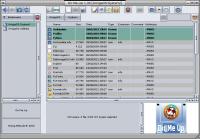
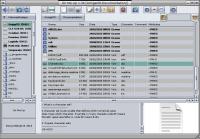
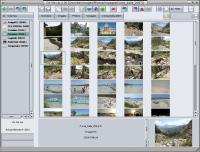
      Dir Me Up is a program to explore and manipulate files, links and drawers of your Amiga. What's new in 4.30 (fulle version): - Startup / Slightly faster startup. - Renaming / Added the ability to replace part of the filename or extension when renaming multiple files. - Renaming / Added the ability to remove part of the filename or extension when renaming multiple files. - Renaming / A notification is now displayed if some of the selected items could not be renamed. - Preview / The first line is now highlighted. - Preview / MP3 / Fixed an issue where some labels were displayed even though their corresponding values were empty. - Preview / MP3 / Fixed an issue where some lines were displayed empty when the corresponding ID3 tag did not exist in the file. - Workbench View / Fixed an issue where filtering was no longer available after performing a search and returning to the volumes list. - Prefs / DirMeUp can now be opened on its own screen. - Update / If no internet connection was available, the message "[Dir Me Up] Can't get update number" was displayed. It has been replaced with a more meaningful message. - Update / The message indicating that an update was available was categorized as a warning. It is now categorized as an information message. - Interface / Fixed a graphical glitch affecting the title bar at startup. - Navigation / "Workbench" View / Fixed excessive spacing between the buttons representing the current path. - Navigation / "Workbench" View / Fixed the "Display WB Info" menu option being available for search results. ... The list of new features is far too long to mention them all here, but you can read an (almost) exhaustive list on our (new) dedicated page : https://www.boing-attitude.com/en/produits/dirmeup_nouveautes.html. Dir Me Up is, of course, compatible with the brand-new A1222+ from A-EON Technology! The demo allows mainly browsing. You can also change the graphical theme. Features of full edition - Browsing history. - Current path available at each level via buttons. - Choice of informations to be displayed (icon, name, size, date, type, extension, rights, comments). - Various sorts (name, size, date, type, extension, rights, comments). - Possible filter on filenames. - Preview images, icons, "text" files, volumes and drawers sizes. - List or icon view (thumbnails, cache available). - Internal viewer included. - Customizable display of .info files and drawers at the top of the list. - Cut/copy/paste/duplicate files, directories and links. - Interactions with the Workbench: Drag'n'drop, WBInfo window, opening a location, ... - Two progress bars during processes with the speed and remaining time displayed. - Renaming (homogeneous or heterogeneous), comment, flag, archiving (with lha) of files and drawers. - Delete one or more files, directories or links. - Creation of drawers, with or without icon. - Application of (Arexx, Shell, Python) scripts or 3rd-party programs on files and drawers. - Most actions are possible on several files. - Up to 5 customizable buttons (image, action). - Interconnection with pictures viewer, source and text editor, word processing, spreadsheet, web, music and video software (among Amicygnix software). - Effective ergonomics: icons, contextual menu and keyboard shortcuts. - Bookmarks management. - Notifications. - ... | |||||||||||||||||||||||||||||||||||||||||||||||||||||||||||||
| Copyright © 2004-2026 by Björn Hagström All Rights Reserved |