 | Logo by Nickman (anonymous IP: 216.73.216.105,2523) | |||||||||||||
| ||||||||||||||
 Audio (352) Datatype (51) Demo (214) Development (629) Document (24) Driver (103) Emulation (156) Game (1064) Graphics (517) Library (123) Network (243) Office (69) Utility (962) Video (75) Audio (352) Datatype (51) Demo (214) Development (629) Document (24) Driver (103) Emulation (156) Game (1064) Graphics (517) Library (123) Network (243) Office (69) Utility (962) Video (75) Total files: 4582 Full index file Recent index file
Amigans.net Aminet IntuitionBase Hyperion Entertainment A-Eon Amiga Future
Support the site
|
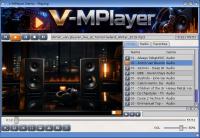
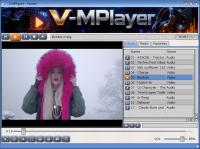
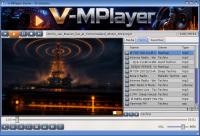
      V-MPlayer v1.6.5 for AmigaOS 4.1 Native media player. Two programs, one folder: Spectra (ReAction GUI 1.2) and V-MPlayer (engine 1.6.5, FFmpeg 9.0.1). Replaces Hollywood V-MPlayer 1.4.1. No Hollywood runtime. Start Spectra, not the old Hollywood binary. Everything is free of charge. No key, no demo, no locked features. Donations would help a lot so I can continue working on V-MPlayer, including the Spectra GUI. PayPal: https://www.paypal.com/paypalme/Maijetsro Email: ReneEngel80()emailn.de In Spectra: menu V-MPlayer -> Donate... WHAT'S NEW - Language: Spectra and standalone V-MPlayer follow SYS:Prefs/Locale (first language only). Catalogs: deutsch, francais, italiano, polski, russian, espanol. English is built-in. - Spectra GUI spacing: lists, tabs, buttons and sliders line up. - Resize / shrink on X5000 and X1000 no longer crashes while the size gadget is held (RadeonRX). - A1222 extra (V-MPlayer.a1222) is included. Standalone is tested on real hardware (window, fullscreen, MPEG-4/Xvid, H.264 MP4). Spectra on A1222 is still untested. MPEG-4 is software + yuv2. H.264 uses VA-API when the VO is vaapi. - CPU detect: Spectra starts V-MPlayer (X5000), V-MPlayer.x1000 (X1000 / AltiVec), V-MPlayer.g3 (Pegasos2 / Sam460, untested) or V-MPlayer.a1222. Leave all four files in the folder. Do not copy one over another. Do not double-click V-MPlayer on X1000, A1222 or G3; start Spectra. - Audio through AHI (ahi_dev2), not SDL. - Video overlay on standalone V-MPlayer (YouTube, CLI, own window): play, seek, clock, mute, volume, 640/800/1024, letterbox or fill, fullscreen. VA-API and yuv2. Not on the Spectra stage. - Streaming: a new stream stops the running engine, then starts. DualPlay and all video outputs. - AmiDock miniplayer. Closing the dock tile restores the Spectra window; it does not quit Spectra. INSTALL Copy the whole drawer. Double-click Spectra. Needs AmigaOS 4.1 Final Edition, ReAction, graphics compositor for the GUI, AHI. Radio search needs curl from OS4Depot: https://os4depot.net/?function=showfile&file=network/misc/curl.lha Visualizer needs SYS:Libs/mesa.library (free Mesa by kas1e, not in this archive): https://os4depot.net/?function=showfile&file=development/library/graphics/mesa.l ha HTTPS / DualPlay: AmiSSL. VA-API: Radeon HD/RX + va.library. Engine is GNU GPL v2. Spectra GUI is freeware. Details: Spectra.guide and Spectra.de.guide in the archive. Author: Rene Engel (Maijestro). | ||||||||||||||||||||||||||||||||||||||||||||||||||||||||||||||||

| Copyright © 2004-2026 by Björn Hagström All Rights Reserved |