 | Logo by Kicko (anonymous IP: 216.73.216.118,2453) | |||||||||||||
| ||||||||||||||
 Audio (347) Datatype (51) Demo (204) Development (617) Document (24) Driver (100) Emulation (154) Game (1034) Graphics (513) Library (120) Network (237) Office (67) Utility (947) Video (73) Audio (347) Datatype (51) Demo (204) Development (617) Document (24) Driver (100) Emulation (154) Game (1034) Graphics (513) Library (120) Network (237) Office (67) Utility (947) Video (73) Total files: 4488 Full index file Recent index file
Amigans.net Aminet IntuitionBase Hyperion Entertainment A-Eon Amiga Future
Support the site
|
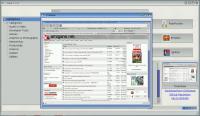
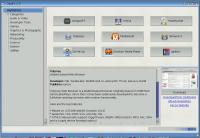
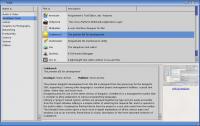
      # Vault Vault is an application for AmigaOS 4.1 FE that helps users discover useful and well-tested applications for their systems, either if they are native PPC or 68k classic applications. Consider it as an application store, but with the minimal of the features. Vault retrieves information from IntuitionBase.com and the "Featured software" section. The list of applications is the same. Slowly, more applications will be added in the list. If someone would like to help make this list bigger, please contact me. ## Features * List of software grouped in nine different categories * Download and show a screenshot of each application, as well as information * Multiple links for the selected applications are listed, opening the equivalent URLs in system browser * It is possible to download applications. * Show highlighted applications in the first screen * Search for applications based on their titles, among all the categories * See a bigger size of screenshot for each application, where available ## Usage Extract anywhere in your systems and double-click on its icon to start. It requires connection to the Internet. ## Credits * It is developed with Hollywood (https://www.hollywood-mal.com) created by Andreas Falkenhahn * Vault icons created by Nikita Golubev Flaticon (https://www.flaticon.com/free-icons/vault) ## Support If you enjoy what I am doing and would like to keep me up during the night, please consider buying me a coffee at: https://ko-fi.com/walkero ## Disclaimer YOU MAY USE IT AT YOUR OWN RISK! I will not be held responsible for any data loss or problems you might get by using this software. ## Changelog ## [1.2.0] - 2026-01-18 ### Added - Added a search field at the top to search for applications among all the categories - Added a new Highlighted section that promotes some applications. This is the default view when Vault starts - Added a Preview window, showing a bigger application image when the user clicks on the small screenshot - Added AutoInstall script for using it with AmiUpdate ### Changed - Changed the left sidebar to have the categories in their own group - Compiled with Hollywood v11 ## [1.1.0] - 2025-12-19 ### Added - Added the help menu with more links - Added a busy bar and a status section at the bottom of the window to show activity ### Changed - Changed the place of storing the cached files. Now they survive a reboot - When a screenshot is not defined, the default is displayed ### Fixed - Fixed the software sort order ## [1.0.0] - 2025-12-14 - First release | |||||||||||||||||||||||||||||||||||||||||||||||||||||||||||||||

| Copyright © 2004-2026 by Björn Hagström All Rights Reserved |