 | Logo by Marko (anonymous IP: 216.73.216.238,2369) | |||||||||||||
| ||||||||||||||
 Audio (343) Datatype (51) Demo (204) Development (607) Document (24) Driver (98) Emulation (150) Game (1023) Graphics (509) Library (119) Network (237) Office (67) Utility (935) Video (70) Audio (343) Datatype (51) Demo (204) Development (607) Document (24) Driver (98) Emulation (150) Game (1023) Graphics (509) Library (119) Network (237) Office (67) Utility (935) Video (70) Total files: 4437 Full index file Recent index file
Amigans.net Aminet IntuitionBase Hyperion Entertainment A-Eon Amiga Future
Support the site
|
      Static (cross) builds can still be downloaded as
dailies/nightlies from
https://buildbot.scummvm.org/#/snapshots
or far more infrequently as full plugin builds from
https://gofile.me/7hB4K/aX7Wwl2aY
(Both won't work with Amiga browsers!!!)
NOTE:
There is a known issue with audio buffer calculation.
The internal calculation sets the buffer to 1024.
This setting however is known to be too low and can
lead to audible "thuds" in numerous games while
music/audio plays.
To fix it, either let ScummVM create a fresh .ini
file or manually add below setting to scummvm.ini
(anywhere beneath [scummvm])
audio_buffer_size=2048
A word to the Syberia games:
They are supported and compiled in, but they won't
run as of now, as they need to get their own shaders
written, which has not happened yet, so please,
don't send bug reports of Syberia crashes.
AmigaOS4 specific changes/additions:
From version 2.9.0 onward the main binary release will be
based on a gl4es patched SDL2.
(Enhancer package and supported gfx card hardware required).
The main reason is in-game speed.
As long as time permits i'll try to add a pure GL binary.
(You can still get static cross builds for pure GL from
above dailies/nightlies link.
2.9.0
- Add: .ini default for icons/ and plugins/ dir
- Add: Pure GL binary as extra file
- Chg: enhanced stack cookie to 4 MB
For a more comprehensive changelog of the latest experimental code, see:
https://github.com/scummvm/scummvm/commits/
#### 2.9.0 (2024-12-22)
New games:
- Added support for Orion Burger.
- Added support for Total Eclipse and Total Eclipse 2.
- Added support for Thimbleweed Park.
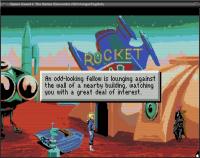
- Added support for The Space Bar.
- Added support for Moonbase Commander.
- Added support for Backyard Basketball.
- Added support for Unrest.
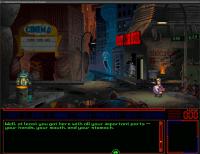
- Added support for Rise of the Dragon.
- Added support for Castle Master.
- Added support for Wait for it! Issue 3. Song for a Hare.
- Added support for Mask Show.
- Added support for Marvellous Mice Adventures: Meeting Sea Rat.
- Added support for The Adventures of the Good Soldier Schweik.
- Added support for Marvellous Mice Adventures: Sea Rat's Birthday.
New platforms:
- Added SailfishOS port.
General:
- Fixed GLSL version parsing on some OpenGL ES2 platforms.
- The "Aspect ratio correction" option within the Global Options section
is now active by default.
- There is now a checkbox for the --copy-protection command-line option.
- Reduced memory usage on platforms with dynamic detection plugins.
- Improved GUI usability on small screens.
- Added optional dependency for libopenmpt for sound.
- Added optional dependency for libmpcdec (musepack) for sound.
ADL:
- Added Apple II checkerboard cursor as a visual option.
- Removed broken strings in Time Zone.
- Fixed picking up all items via "GET ALL" from a scene.
- Fixed restoring the state of unvisited rooms.
AGI:
- Apple II games are now detected. Although not supported yet, most can be
started.
- Fixed duration of timed text boxes. They were shown only half as long as
they should be, making e.g. the King's Quest III intro hard to read.
- The predictive input dialog popup when clicking on the prompt line or in an
input field
is now an optional game setting, disabled by default.
- Fixed Black Cauldron witches not disappearing at end of game.
- Fixed King's Quest III mice event not occurring after listening to fish.
- Fixed Mixed-Up Mother Goose crash after nursery rhyme on certain platforms.
- Fixed Gold Rush game clock in Apple IIgs version.
- Fixed Donald Duck's Playground audio bugs in PC booter version.
- Improved detection for PC booter games.
- Added support for sound in CoCo3 games.
- Fixed many bugs in Winnie The Pooh In The Hundred Acre Wood, including
Tigger never appearing and Eeyore not accepting his balloon.
AGOS:
- Added keymapper support.
- Fixed timer handling in savegames, addressing issues such as crashing in
Waxworks Egypt Level 3 and Power Points not regenerating in Elvira 2.
AGS:
- Syncronized with upstream AGS 3.6.1.30.
- Added commandline --language option to specify the game language overriding
the GUI.
- Fixed glitchy staircase in old Maniac Mansion Mania episodes, caused by
imperfect pathfinding.
- Fixed savescreen not accepting keyboard input in a few games (e.g. An
English Haunting).
- Fixed colorless texts in games using the SpriteFont plugin (e.g. Detective
Gallo).
- Updated .mod playback and fixed looping not working in rare occasions.
- Fixed misbehaving legacy upscaler in old games.
- Fixed rare incorrect tinting when using AVX2 optimizations.
- Added a few checks for unsupported videos to prevent crashes.
- Multiple updates to the detection tables.
Asylum:
- Implemented moving with the arrow keys.
BBVS:
- Added keymapper support.
Bladerunner:
- Fixed a soft-lock case for Izo at Hawker's Circle.
- The "Designers cut" setting can be set in advance and persist for a new
game.
- Improved, reliable application of custom random seeds.
Chewy:
- Fixed cyber crown state before Surimy attack.
- Fixed changing hotspot subtexts.
- Fixed keyboard handling in the inventory screen.
- Fixed unlocked cutscenes in cinema screen.
- Fixed music in harbor during the second visit.
- Fixed movement of Chewy's boat during the boat race.
- Fixed room placement of Nichelle after Kong attack.
Cine:
- Added keymapper support.
Composer:
- Added keymapper support.
Cruise:
- Added support for Russian fan-translation.
- Added keymapper support.
Draci:
- Added keymapper support.
Dreamweb:
- Fixed crash when changing scenes, while holding some non-essential game
items.
EFH:
- Fixed various crashes when exiting in the middle of an interaction.
Freescape:
- Added support for Atari/Amiga releases of Dark Side.
- Added "authentic graphics" mode.
- Fixed several glitches in the different render modes.
- Improved keymapper support coverage.
- Correctly implement aspect ratio correction following dosbox
implementation.
GLK/ADVSYS:
- Fixed parsing for input commands.
Gob:
- Fixed Blount becoming inactive in the Gob3 brain level.
- Fixed flickering cursor during some videos in Gob3 and Lost in Time.
Groovie:
- Added keymapper support.
Hopkins:
- Added keymapper support.
Hugo:
- Added keymapper support.
Hypno:
- Fixed lagging cursor on some platforms.
Illusions:
- Added keymapper support.
Kyra:
- (EOB) Added a "Faithful AD&D rules" checkbox, to enable improvements and
fixes to original Eye of the Beholder I and II game code.
- (EOB) Fixed an issue where multi-class characters might gain incorrect HP
due to round-off errors.
- (EOB) Corrected projectile weapon damage (as per AD&D 2nd Edition rules).
- (EOB) Elves get +1 to hit with swords and bows (according to the official
game manual).
- Fixed NPCs Ileria (female) and Beohram (paladin) in Eye of the Beholder I.
- (EOB) Fixed a few small bugs.
Lure:
- Added keymapper support.
M4:
- Fixed restoring conversation state.
MADE:
- Added keymapper support.
MADS:
- Added keymapper support.
MM:
- Added MT32/LAPC-1 support for Xeen engine.
- Fixed Xeen regression which caused some sound effects to stop abruptly.
- Fixed spell SP/gem requirements in MM1 enhanced mode, and actually remove
spell points & gems when spells are cast.
NANCY:
- Fixed a startup crash and some broken puzzles in The Vampire Diaries.
- Fixed a crash when trying to play the Russian versions of early Nancy Drew
games.
NGI:
- Added support for Lithuanian version of fullpipe.
PINK:
- Fixed crash after the girl turns into a mermaid.
SAGA:
- Added keymapper support.
- Prevent reaching an unwinnable state when not performing key actions in
Nimdok's chapter in IHNM.
SCI:
- Added CGA (4 colors and black/white) and Hercules render modes for most
SCI 0 DOS games. Also added an EGA dithering mode and a VGA gray scale
mode for many SCI 1 DOS games, a 16 colors mode for KQ6 Windows and
8 colors modes for all PC-98 games.
- Added Gabriel Knight 1 CD speech repair by AllTinker.
Fixes the majority of pops and clicks in the DPCM8 speech audio.
- Improved PCjr audio.
- Improved KQ6 CD settings. The DOS platform now defaults to DOS behavior.
- Better support for Mac KQ6.
- Implemented KQ5 FM Towns save/restore UI.
- Numerous script fixes to different games.
- Fixed SCI1.1 picture scaling inaccuracies.
- Fixed fallback detection for unknown fan games.
- Added support for Spanish SQ3.
- Added support for Russian Camelot, Laura Bow, PQ2.
- Added support for Russian fan-translation of QFG3.
SCUMM:
- Added map generator from Moonbase Console for Moonbase Commander.
- Improved graphics support for Macintosh MI1, MI2 and Fate of Atlantis.
- Improved audio support for Macintosh Loom, Last Crusade, and MI1.
Sherlock:
- Added support for Russian translation of Rose Tattoo.
Stark:
- Added keymapper support.
Sword1:
- Added a "Windows audio engine" mode available within the ScummVM game
options, in which we simulate the DirectSound audio drivers powering the
Windows 95 executable.
This makes the game use softer (logarithmic) audio curves, but removes
fade-in and fade-out for sound effects, fade-in for music, and automatic
music volume attenuation for when speech is playing. By default the setting
is off, since the game was developed with DOS and AIL sound drivers in
mind,
and it is also not available for Macintosh and PSX versions.
- Added keymapper support.
- Improved support on big-endian systems.
- Added more game variants.
- Restored the ability to choose language of subtitles on PC versions.
Sword25:
- Fixed looping scene background sounds.
- Fixed actor lighting when walking.
Teenagent:
- Added support for Polish floppy version.
Tinsel:
- Added keymapper support.
Titanic:
- Fixed crash if the word 'that' was used in a conversation.
Tony:
- Fix crash with rapid cursor switching.
TsAGE:
- Added keymapper support.
- Added support for Russian CD fan-translation for Ringworld.
- Added support for Russian CD fan-translation for Blue Force.
Toon:
- Added keymapper support.
Touche:
- Added keymapper support.
Trecision:
- Added keymapper support.
Tucker:
- Added keymapper support.
- Fixed being unable to enter the Lower Hall in 2nd Chapter.
TwinE:
- Several collision related fixes.
Ultima:
- Fix pathfinding not detecting some doors in Ultima VI.
- Alter Ultima VIII default gamepad bindings.
- Improved Ultima VIII keybind player movement.
- Alter Ultima VIII target gump to no longer pause game.
- Alter Ultima VIII minimap to use game palette.
- Fixed Ultima VIII item splitting & merging on game map.
- Fixed Ultima VIII animation, audio, and scene transition issues.
Voyeur:
- Added Interplay logo animation.
ZVision:
- Improved support of RTL languages.
Android port:
- Add support for Android 15.
- Add game shortcuts support on Android home screen either from a long press
on the ScummVM icon or from the launcher widgets selector.
- Rework the gamepad input mode with an improved UI. Add more virtual
buttons.
- Scale UI according to display density.
- Various stability fixes.
macOS port:
- Autoupdates now use Sparkle 2.x.
- Changed default savegame path to use the Application Support folder.
3DS port:
- Integrated the port-specific options dialog with the main GUI.
- Increased available memory on the Old 3DS.
- Fixed crashes in new 3DS models due to different memory handling.
iOS/iPadOS port:
- Add Apple Pencil support.
- Add app icons for 'Dark' and 'Tinted' modes.
- Various stability fixes.
| |||||||||||||||||||||||||||||||||||||||||||||||||||||||||||||||||||||||||||||


| Copyright © 2004-2025 by Björn Hagström All Rights Reserved |